Ask AI: Send Text to ChatGPT, Claude or Gemini in One Click
Most of the text people unlock with Allow Copy + lands in an AI chat a minute later. Copy, switch to the chat tab, paste, type “translate this”, press Enter. Version 4.0 turns that into one click. It's the biggest change to the extension so far, which is why the version number jumped to 4.
How Ask AI works
- Select text on a page or right-click a link.
- Choose “Ask AI” in the context menu and pick a chat, with or without a prompt.
- The extension opens the chat, or uses the one you already have open, puts the text in and sends it.
Your own chat, no API key
Ask AI goes through the AI website you're already signed in to, whether it's ChatGPT Free, Plus or Claude Pro. There's no API key to create and no token bill at the end of the month. The answer appears in the regular chat, next to your history.
If a chat is already open in a side panel or a separate window, the text goes there and your layout stays as it is.
Supported AI chats
The default list has ChatGPT, Gemini, Claude, DeepSeek, Google AI Studio, Kimi, GLM (Zhipu) and NotebookLM. In the settings you choose which of them show up in the menu and in what order.
Quick prompts
A prompt wraps the selected text with an instruction, so you don't have to type it every time. The extension comes with a few that people use most:
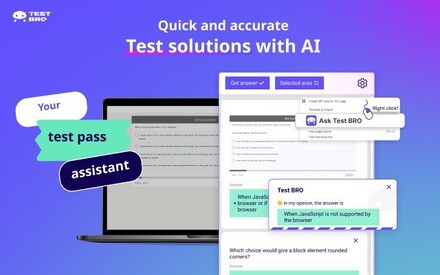
- Quick Answer, for tests and quizzes.
- Fix & Professionalize, to clean up a draft.
- Explain Like I'm 5.
- Translate & Explain Nuance.
Keyboard shortcuts
On Mac these are Control+1, Control+2 and Control+3. Any of them can be changed at chrome://extensions/shortcuts.
- Alt+1: send the selection to the AI tab you used last.
- Alt+2: repeat your last Ask AI action with the new selection.
- Alt+3: take a screenshot of an area and send it to AI (added in 4.0.1).
Screenshots for charts, tables and code
A few days after the release, in 4.0.1, we added screenshots. Press Alt+3, drag over a part of the page and the image goes to a chat that can read pictures. It's handy for charts, tables, code in a video or text that is itself an image.
What's free
Copy unlocking stays free. Ask AI gives you 5 free sends a day. For more, there's a lifetime license, and since 4.0.4 also a 30-day pass.
Questions about 4.0.0
›Do I need an OpenAI or Anthropic API key?
No. Ask AI uses the chat website you're already logged in to, so it works with free and paid accounts without any API key.
›Can I send text from a site that blocks copying?
Yes. Allow Copy + unlocks selection first, so you can select the text and send it to AI on pages where copying is turned off.
›Which AI chats are supported?
ChatGPT, Gemini, Claude, DeepSeek, Google AI Studio, Kimi, GLM and NotebookLM are in the default list. You can pick which ones appear in the menu.
Allow Copy + 4.0.0 is available in the Chrome Web Store. If you already have the extension, Chrome will update it on its own.
See Ask AI in action